 With Office 2013, Microsoft wants not only to improve the writing
features of Word but also improve the way people read documents. In a new post on the Office Next blog,
Microsoft goes over some details about how they have made
documents look and read better in the new Word.
With Office 2013, Microsoft wants not only to improve the writing
features of Word but also improve the way people read documents. In a new post on the Office Next blog,
Microsoft goes over some details about how they have made
documents look and read better in the new Word.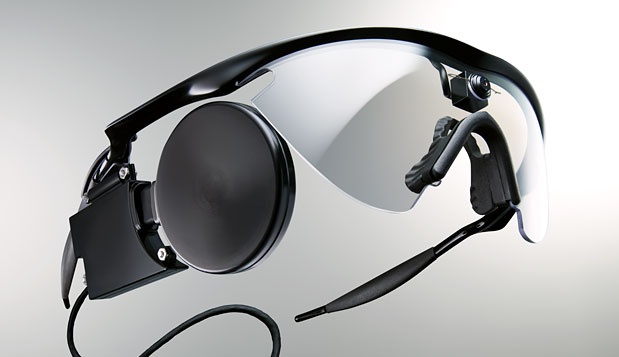 Argus® II eye Retinal Prosthesis coming to the market.
  SuperTalent Introduces Core Store Devices.
God Of War: Ascension. Kratos is back for vengeance!
Google plans to focus in hardware based security methods.
Argus® II eye Retinal Prosthesis coming to the market.
As interest increases more and more in human health and capabilities, Second Sight, revealed the mission about human sight! read more
Supertalent Introduces Core Store devices !
Need compact and quick storage ? Supertalent may have something you need ! read more
God of War: Ascention. Kratos is back for Vengeance!
Remember Kratos? Well its time to take revenge for the family he lost! read more
Google plans to focus in hardware based security methods.
Since security is a major concern for everyone, Google is interested more and more in hardware based security methods, experimenting with Yubikey technology... read more
Showing posts with label Office. Show all posts
Showing posts with label Office. Show all posts
Thursday, July 26, 2012
Word 2013 reading features detailed
With Office 2013, Microsoft wants not only to improve the writing
features of Word but also improve the way people read documents. In a new post on the Office Next blog,
Microsoft goes over some details about how they have made
documents look and read better in the new Word.
Tuesday, July 17, 2012
Microsoft unveils OneNote for Metro environment
After Microsoft announced Office 2013 and the Preview going live, the company is now also previewing a Metro style version of OneNote for
Windows 8. While Office 2013 will still be based in the traditional desktop
environment, albeit with a Metro-style interface, the company showed
off a version of OneNote that will make complete use of the new Metro
environment in Windows 8 and Windows RT.

OneNote for Windows 8 includes touch-and-hold radial menus, one-tap search and sharing features with finger-friendly zoom options. Inking is also available for tablets that support pen input. Microsoft's demonstration of the OneNote Metro style app focused on the use of digital ink and a new radial menu which includes commands such as bold, italics, font size, and color options. Microsoft didn't mention when the app will be available either in preview or final version, but we're expecting it to be available at the Windows Store soon.

OneNote for Windows 8 includes touch-and-hold radial menus, one-tap search and sharing features with finger-friendly zoom options. Inking is also available for tablets that support pen input. Microsoft's demonstration of the OneNote Metro style app focused on the use of digital ink and a new radial menu which includes commands such as bold, italics, font size, and color options. Microsoft didn't mention when the app will be available either in preview or final version, but we're expecting it to be available at the Windows Store soon.
Monday, July 16, 2012
Office 2013 drops support for Windows XP and Windows Vista
Microsoft wants you to upgrade its legacy products and it looks like they will be using Office to push users to make that transition. According to the Office 2013 Preview FAQ, the new version of Office requires Windows 7 or newer. Dropping support for Vista is surprising considering how long XP was supported, but upgrading to the latest platform has several security benefits anyway and don't forget that in April of 2014, Microsoft will kill
support Windows XP.

Subscribe to:
Posts (Atom)